More tools
These are live and still improving. If something feels off, tell us in Discord.
Base library
Open /fortify → Base Library to search by Town Hall and tags. Add bases any of these ways:
/base addfor one layout link.- Right-click a message → Apps → Save as Base.
/basepack importto upload a PDF base pack. Check the parsed bases before you publish them.
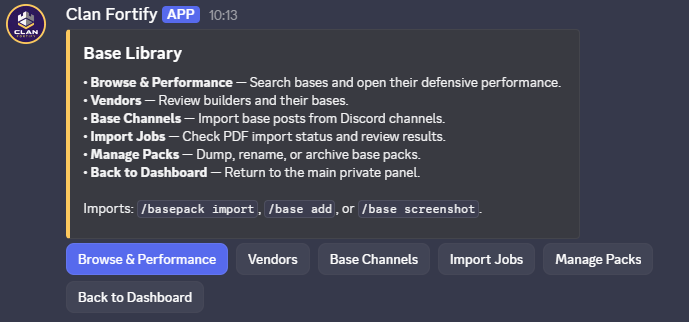
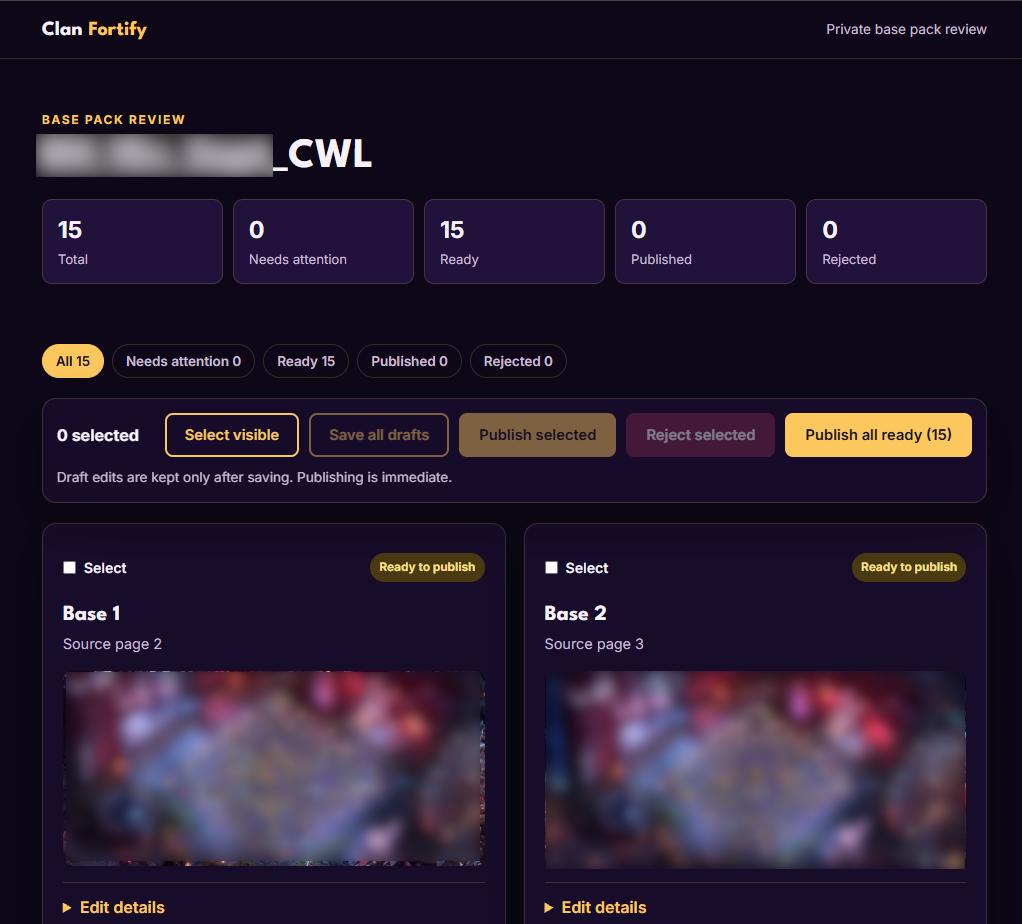
To hide some packs from some members, the Owner opens /fortify → Owner Settings → Access Groups and adds the people who may see them. Packs and vendors are managed in /fortify → Packs & Vendors.
Assignments
- Run
/fortifyand open War, CWL or Ranked. - Choose Assign Base, pick the player and the base, and confirm.
- The player gets a DM with the screenshot and CC setup. They tap Reveal layout link to get the base, which also confirms it.
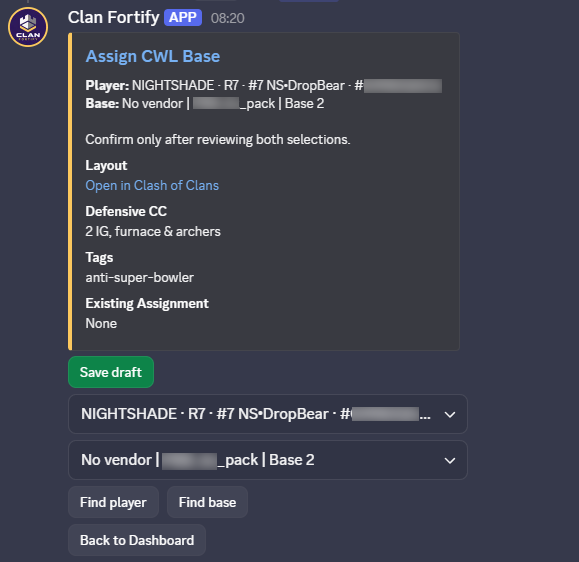
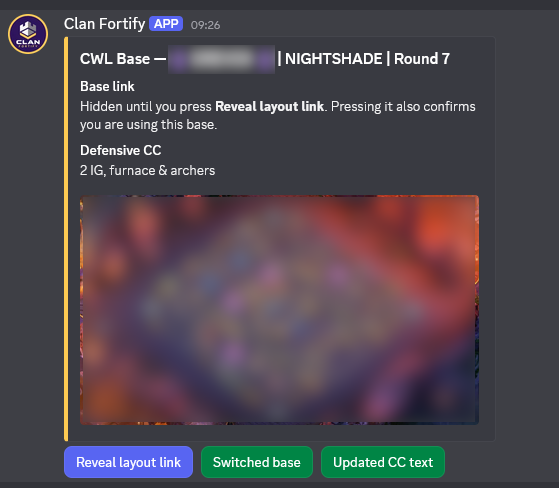
Already know the player and base? Use /war assign, /cwl assign or /ranked assign.
Tell your players: allow DMs from the server. Use the newest message, tap Reveal layout link and copy the base in Clash, check the CC notes, then tap the CC button. Lost the DM? Open /fortify → My Bases.
Rosters and CWL history
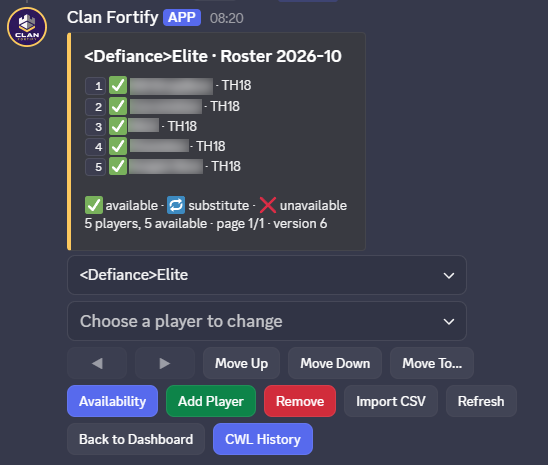
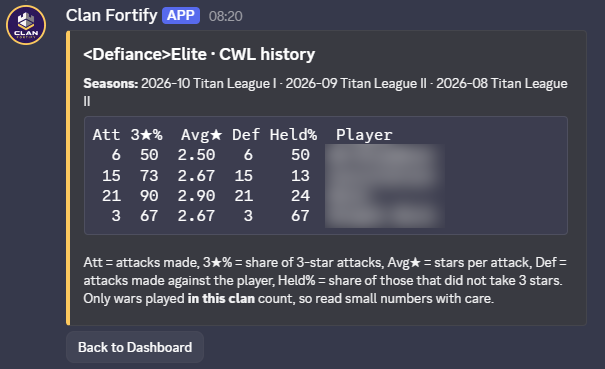
Open /fortify → Rosters to register who plays CWL. Tap CWL History to see each player's last 3 seasons: attacks, 3★ rate, stars and defence.
Follow up
In the event panel, Roster Status shows who's linked, assigned and confirmed. Under More actions you can send reminders, resend a DM or withdraw an assignment. In CWL a player is Ready after confirming the base (tapping Reveal layout link counts) and the CC.
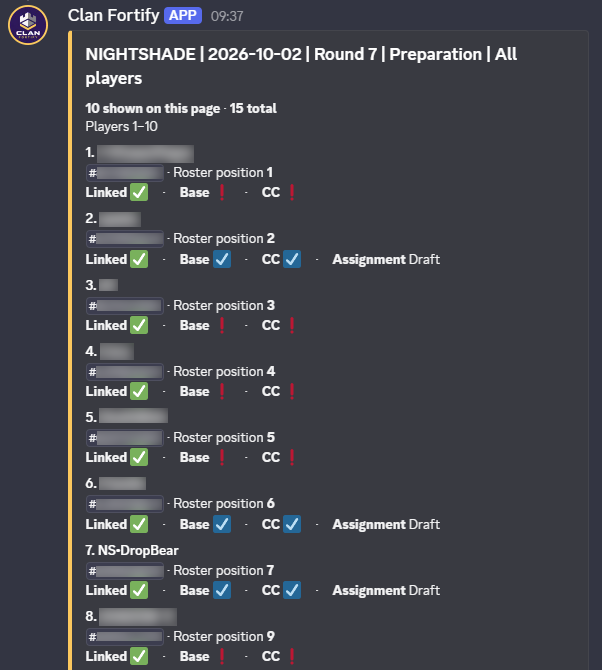
The bot records what players confirm. It can't see which base is active in the game.
Results
After attacks land, choose More actions → Results and refresh. A defense counts for a base only if it was assigned before the attack. Otherwise it's shown as not linked. Treat small samples as hints, not proof.
Ranked
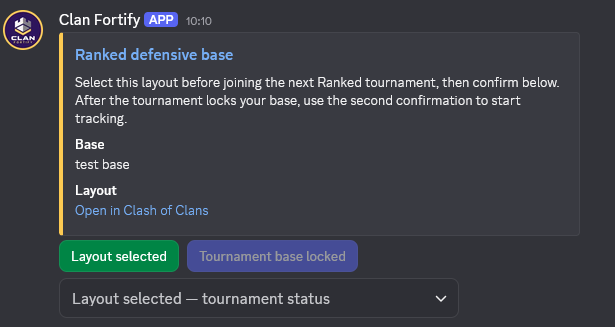
Ranked works a little differently. A new base may stay staged until the next Ranked boundary, so read the state the panel shows. Try it with one player first.